The first time I walked into a switch room after a shift change, the day-shift technician pointed at a drawer unit that had tripped overnight. "No warning, just a burn smell and a blackened contact finger," he said. The root cause wasn’t a design flaw or a major surge. It was a small thing—dust accumulation and a loose secondary connection that nobody noticed for weeks. That outage cost the plant six hours of production and a stack of overtime invoices. The uncomfortable truth is, most unplanned failures of drawer-type power distribution assemblies aren’t sudden. They brew quietly. Daily checks, done in a structured way, are your cheapest and most effective defense.
If you work with modular drawer-type low voltage systems, you know that accessibility is both a blessing and a risk: the very plug-in nature that makes maintenance quick also creates multiple friction points where heat, oxidation, and vibration can build up. The following five daily checks are based on real maintenance routines used in production plants and commercial buildings. They require no special tools beyond your senses, a basic infrared thermometer, and a checklist. (If you are designing a new installation or upgrading an older board, understanding how a well-engineered drawer switchgear assembly integrates safety interlocks can help you reduce these daily inspection burdens from the start.)
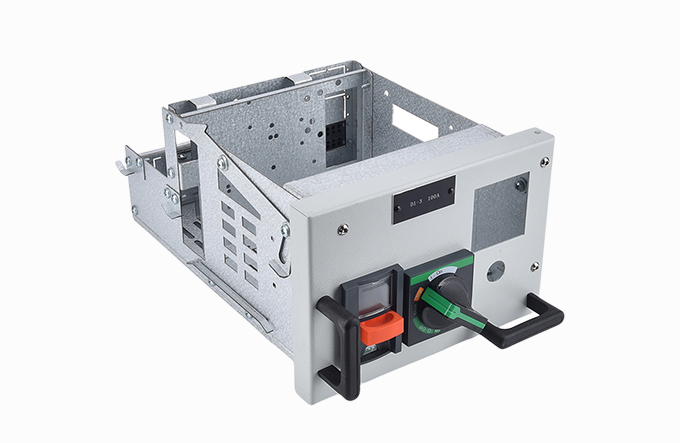
Before you open a single panel door, walk along the front of the line-up and look at every drawer unit. Three things must catch your eye immediately: the position indicator (Connected, Test, Isolated), the status of any front-mounted LED or flag indicator, and the mechanical alignment of the drawer face with the compartment frame. A drawer that has partially moved out of the "Connected" position—by even a few millimetres—can introduce high contact resistance at the main plug-in clusters. That resistance becomes heat, and heat accelerates oxidation.
What to look for:
Drawers not fully racked in, with a visible gap between the flange and the compartment.
Flickering or dim indicator lamps, which can indicate a floating voltage on the control circuit.
Circuit breaker handles that are not perfectly vertical or horizontal as per the OEM legend.
A common mistake is to ignore a drawer that shows "Connected" simply because the interlock allows it. Mechanical interlocks can wear. A panel technician I worked with once found a 400 A feeder drawer that showed "Connected" on the scale but had only 60% of its primary contact fingers engaged. He caught it because the drawer front plate was slightly tilted—something nobody had written down in a checklist but his eye registered as "wrong."
The second check takes less than a minute per drawer but demands your full attention when you do it. Partially rack a critical feeder out to the "Test" position and then back in, but do it slowly, feeling the mechanism through the racking handle or lever. Any gritty sensation, sudden resistance, or need for extra force is an early sign of trouble. Interlock mechanisms in drawer-type switchgear panels are not just for safety—their mechanical condition reflects the overall alignment of the drawer carriage and the compartment rails.
If the racking motion feels stiff in one spot, it often means one of three things: the telescopic rail bearings are dry or contaminated, the shutter operating linkage is bending, or the drawer frame itself has warped slightly from a previous overload event. Warped frames can then misalign the primary disconnects, creating hot spots. In one food processing facility, maintenance staff ignored a stiff racking handle for a compressor feeder. Eight days later, a single-phase loss occurred because the female contact tulip on the busbar side had spread open from repeated misalignment, causing arcing.
Daily is not the frequency for a full rack-out of every drawer. But on a rotating basis, pick two or three heavy-duty or critical feeders and test the feel. And train your operators: if they notice a different feel, they should report it immediately, not force it.
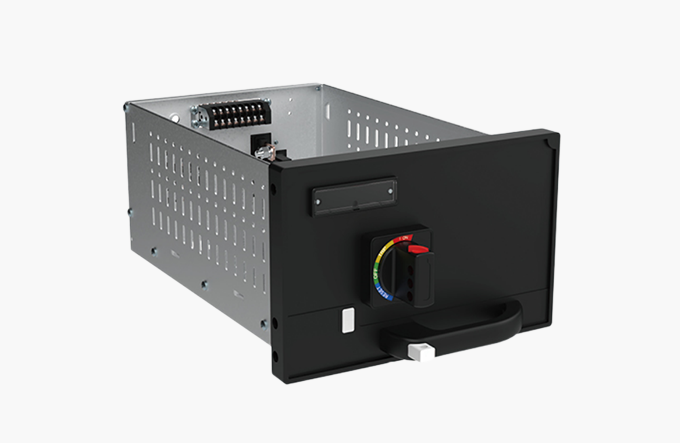
A formal thermographic survey with a calibrated thermal camera might happen quarterly or annually, but a daily spot check with a simple infrared thermometer or a spot pyrometer catches developing faults between scheduled scans. Target the following areas on accessible drawers while they are under normal load:
Front panel near the main circuit breaker operating handle (heat conducts from the main contacts).
Ventilation grilles on the drawer front—compare the temperature difference between adjacent drawers of similar load.
The gap between the drawer compartment and the side sheet steel, where you can sometimes sense radiated heat from the main bus connections.
Secondary plug socket area, if accessible from the front without opening the door.
Record the temperature and the load current at that moment. The absolute temperature matters less than the trend. A feeder that normally sits at 35°C above ambient but slowly creeps to 48°C over a week, with no load change, is telling you that contact resistance is increasing. When you see that trend, it’s time to schedule a planned shutdown for a detailed contact inspection and cleaning. Panels designed with optimized thermal pathways for continuous operation make this kind of trending easier because background "noise" from adjacent units is lower, making anomalies stand out more clearly. If your current board makes it hard to isolate heat sources, you might want to see how a thermally optimized low-voltage switchgear design separates power circuit zones from control zones.
The best diagnostic tool you carry is free: your own hearing and sense of smell. For this daily check, spend two minutes in the switch room with the ventilation noise minimized. Turn off nearby portable fans or close the door to block plant floor noise. Walk slowly along the switchgear line-up and listen for two specific sounds—a 50/60 Hz hum that suddenly changes in volume or pitch at a particular drawer, and a high-frequency sizzle or crackle that suggests partial discharge or tracking across an insulator surface.
A healthy transformer-fed low voltage assembly hums with a steady, low-pitched magnetic vibration. A drawer with a loose connection or a deteriorating contact pad may superimpose a sharper buzz that modulates with load. Smell comes next. The human nose is remarkably sensitive to overheated PVC insulation, which gives off a characteristic pungent, chlorine-like odor long before visible smoke appears. If you smell something "fishy" or acrid near a specific drawer, and it persists after you reduce the load on that feeder, take that drawer out of service immediately.
One case from a data center: a technician noticed a faint, sweet smell near a UPS feeder drawer. He traced it to the polyester-based insulating shrouds inside the drawer slowly degrading because the main contact resistance had risen and the local ambient temperature inside the drawer had reached over 120°C. A thermal camera later confirmed a catastrophic failure was only days away.
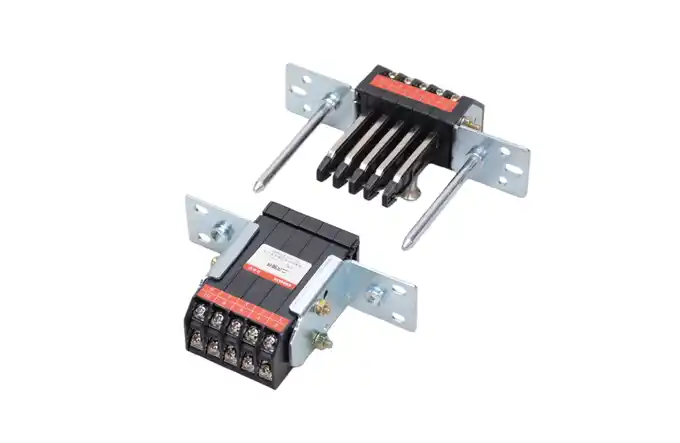
Secondary disconnect plugs and internal control wiring are the nervous system of your drawer unit. A loose auxiliary contact or a chafing wire on the telescopic rails can cause unpredictable trips, false indications, or complete loss of remote control. The daily check here is visual and tactile for a representative sample of drawers:
Gently tug (with the drawer in "Test" or with power safely isolated) on the secondary plug connector to see if any individual wire crimps have loosened.
Look for copper dust or green discolouration on secondary terminals—telltale signs of fretting corrosion.
Verify that any cable management chains, spiral wraps, or looms move freely and are not caught between the drawer side wall and the compartment during racking.
These secondary circuits often carry safety interlock, earth leakage relay, or shunt trip signals. A momentary break in an interlock circuit can shut down a whole process line. I’ve seen a perfectly good main power circuit taken offline because a single 1.5 mm² control wire, bent back and forth over hundreds of racking cycles, finally fractured inside its insulation. The fix took 20 minutes; finding the break took hours. Equipment designed with integrated secondary isolation features and dedicated cable management channels reduces the physical stress on control wiring and makes these daily visual checks faster. If your maintenance team spends too much time chasing intermittent control faults, looking at how modern drawer switchgear handles secondary wiring could reveal why the downtime pattern keeps repeating.
Even with a five-point checklist, some habits work against you. First, assuming that "maintenance-free" means "inspection-free." No switchgear assembly is truly free of degradation. Sealed-for-life contactors don’t exempt you from checking the heat dissipation around them. Second, using only an infrared camera and ignoring touch, sound, and feel. A camera sees heat; it doesn’t see a partially open shutter or a loose mechanical interlock. Third, treating daily checks as a box-ticking exercise. Checklists are a memory aid, not a substitute for technician curiosity. The most reliable installations I’ve audited belonged to teams that used the checklist as a starting point and then asked, "What’s different today?"
Daily checks should feed into a formal preventive maintenance program aligned with standards like IEC 61439-1 for low-voltage switchgear and controlgear assemblies and the recommendations of NFPA 70B. The data you collect—temperature trends, racking effort notes, hum variations—are gold for planning annual shutdown work. If your facility operates a low voltage switchgear cabinet with several dozen drawer feeders, aggregate this daily data monthly and look for patterns: are all the sticky racking mechanisms clustered on the same production line? Does one section run consistently hotter? That systemic view often identifies installation-level issues such as uneven ventilation or harmonic loading that individual drawer checks miss.
Sometimes the daily checklist keeps revealing the same problem: contact surfaces that need frequent cleaning, breakers that trip without apparent reason, interlocks that jam. At that point, the root cause is often deeper than maintenance—it’s in the design margin or the component selection. A drawer unit built with minimal thermal headroom or narrow voltage tolerance will keep generating maintenance calls even if you inspect it every day.
If you find yourself in that position, it may be time to evaluate whether your current equipment was specified for your actual operating conditions. You don’t need to rip out the entire installation overnight, but you can start documenting the correlation between your daily check findings and equipment specifications. For those planning expansions or phased retrofits, exploring a purpose-engineered low voltage switchgear cabinet designed for higher internal arc withstand, better segregation, and simpler drawer exchange can turn those daily headaches into a quick, predictable visual scan. To understand what that looks like in practice, you can explore MOLDVOLT’s drawer switchgear options and configuration details.
pubdate: 2025/10/09 2026/07/22
Reduce Downtime with Quick‑Swap Drawerspubdate: 2025/10/09 2026/07/15
How to Organize Spare Parts for LV Cabinetspubdate: 2025/10/09 2026/07/07
5 Daily Checks for Drawer Switchgear – A Maintenance Technician’s Guide